
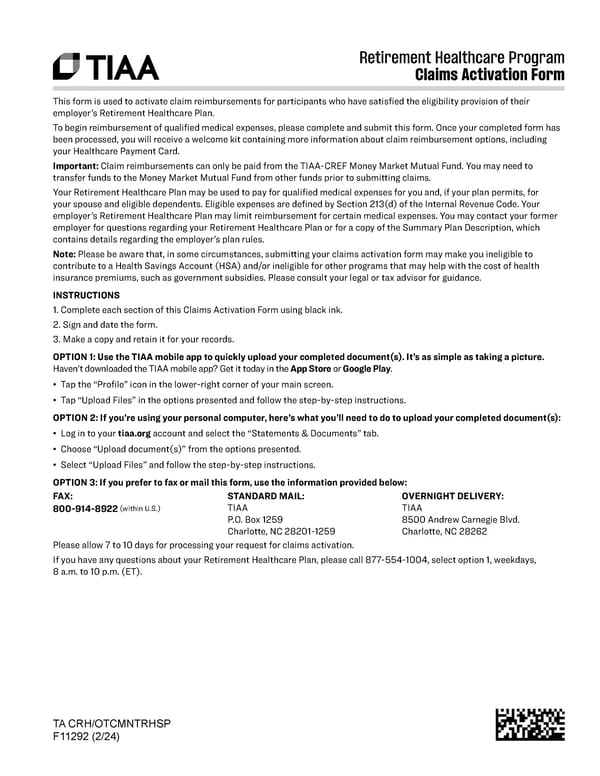
Retirement Healthcare Program Claims Activation Form TA CRH/OTCMNTRHSP F11292 (2/24) This form is used to activate claim reimbursements for participants who have satisfied the eligibility provision of their employer’s Retirement Healthcare Plan. To begin reimbursement of qualified medical expenses, please complete and submit this form. Once your completed form has been processed, you will receive a welcome kit containing more information about claim reimbursement options, including your Healthcare Payment Card. Important: Claim reimbursements can only be paid from the TIAA-CREF Money Market Mutual Fund. You may need to transfer funds to the Money Market Mutual Fund from other funds prior to submitting claims. Your Retirement Healthcare Plan may be used to pay for qualified medical expenses for you and, if your plan permits, for your spouse and eligible dependents. Eligible expenses are defined by Section 213(d) of the Internal Revenue Code. Your employer’s Retirement Healthcare Plan may limit reimbursement for certain medical expenses. You may contact your former employer for questions regarding your Retirement Healthcare Plan or for a copy of the Summary Plan Description, which contains details regarding the employer’s plan rules. Note: Please be aware that, in some circumstances, submitting your claims activation form may make you ineligible to contribute to a Health Savings Account (HSA) and/or ineligible for other programs that may help with the cost of health insurance premiums, such as government subsidies. Please consult your legal or tax advisor for guidance. INSTRUCTIONS 1. Complete each section of this Claims Activation Form using black ink. 2. Sign and date the form. 3. Make a copy and retain it for your records. OPTION 1: Use the TIAA mobile app to quickly upload your completed document(s). It’s as simple as taking a picture. Haven’t downloaded the TIAA mobile app? Get it today in the App Store or Google Play. • Tap the “Profile” icon in the lower-right corner of your main screen. • Tap “Upload Files” in the options presented and follow the step-by-step instructions. OPTION 2: If you’re using your personal computer, here’s what you’ll need to do to upload your completed document(s): • Log in to your tiaa.org account and select the “Statements & Documents” tab. • Choose “Upload document(s)” from the options presented. • Select “Upload Files” and follow the step-by-step instructions. OPTION 3: If you prefer to fax or mail this form, use the information provided below: FAX: 800-914-8922 (within U.S.) STANDARD MAIL: TIAA P.O. Box 1259 Charlotte, NC 28201-1259 OVERNIGHT DELIVERY: TIAA 8500 Andrew Carnegie Blvd. Charlotte, NC 28262 Please allow 7 to 10 days for processing your request for claims activation. If you have any questions about your Retirement Healthcare Plan, please call 877-554-1004, select option 1, weekdays, 8 a.m. to 10 p.m. (ET).
 Depauw University VEBA Retiree Healthcare Savings Plan Guide Page 9 Page 11