
Guide to Initiating an HSA Transfer to Lively
This document provides instructions on transferring HSA funds to Lively, including steps for logging in, resetting passwords, and choosing transfer options.
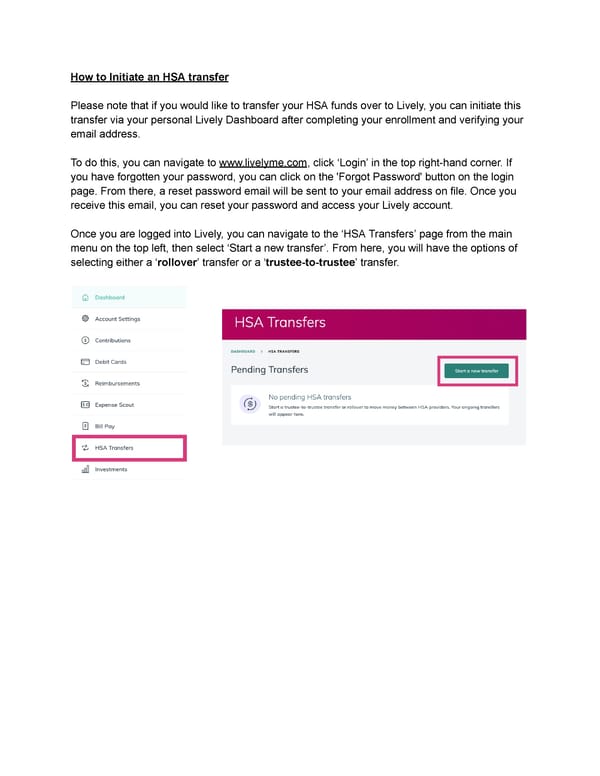
HowtoInitiate an HSA transfer Please note that if you would like to transfer your HSA funds over to Lively, you can initiate this transfer via your personal Lively Dashboard after completing your enrollment and verifying your email address. To do this, you can navigate to www.livelyme.com, click 8Login9 in the top right-hand corner. If you have forgotten your password, you can click on the 'Forgot Password' button on the login page. From there, a reset password email will be sent to your email address on file. Once you receive this email, you can reset your password and access your Lively account. OnceyouareloggedintoLively, you can navigate to the 8HSA Transfers9 page from the main menuonthetopleft, then select 8Start a new transfer9. From here, you will have the options of selecting either a 8rollover9 transfer or a 8trustee-to-trustee9 transfer.
 Guide to Initiating an HSA Transfer to Lively Page 2