
Simplified Steps to Use Your Member Portal
This document provides a step-by-step guide on accessing and utilizing the Navitus member portal for managing your healthcare information and drug coverage details.
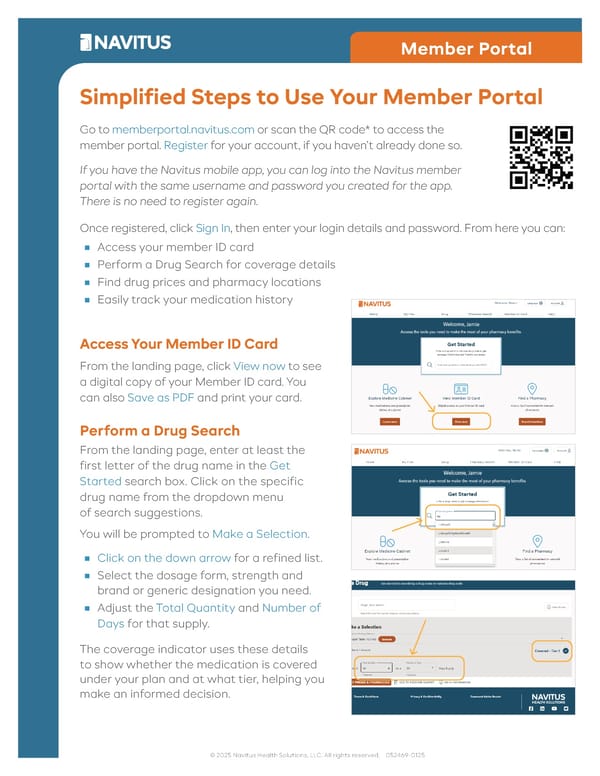
Member Portal Simplified Steps to Use Your Member Portal Go to memberportal.navitus.com or scan the QR code* to access the member portal. Register for your account, if you haven’t already done so. If you have the Navitus mobile app, you can log into the Navitus member portal with the same username and password you created for the app. There is no need to register again. Once registered, click Sign In, then enter your login details and password. From here you can: ■ Access your member ID card ■ Perform a Drug Search for coverage details ■ Find drug prices and pharmacy locations ■ Easily track your medication history Access Your Member ID Card From the landing page, click View now to see a digital copy of your Member ID card. You can also Save as PDF and print your card. Perform a Drug Search From the landing page, enter at least the first letter of the drug name in the Get Started search box. Click on the specific drug name from the dropdown menu of search suggestions. You will be prompted to Make a Selection. ■ Click on the down arrow for a refined list. ■ Select the dosage form, strength and brand or generic designation you need. ■ Adjust the Total Quantity and Number of Days for that supply. The coverage indicator uses these details to show whether the medication is covered under your plan and at what tier, helping you make an informed decision. © 2025 Navitus Health Solutions, LLC. All rights reserved. 052469-0125
 Simplified Steps to Use Your Member Portal Page 2