
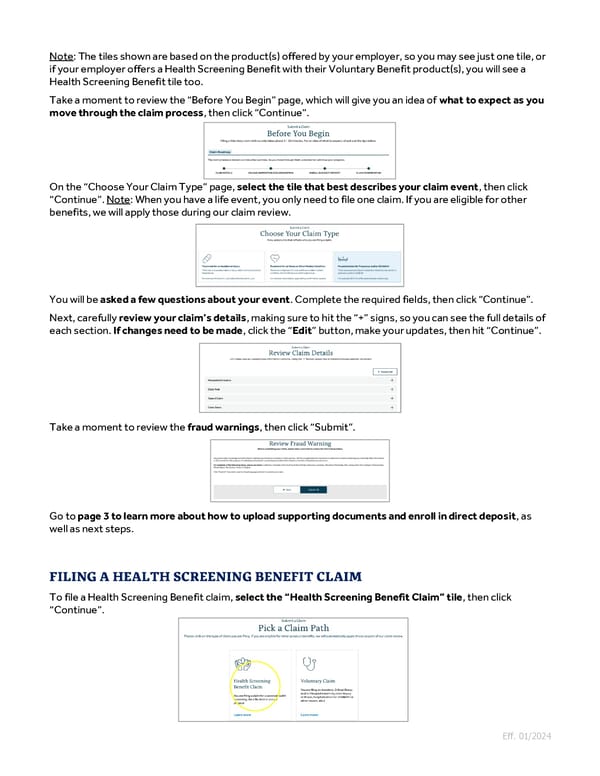
Note: The tiles shown are based on the product(s) offered by your employer, so you may see just one tile, or if your employer offers a Health Screening Benefit with their Voluntary Benefit product(s), you will see a Health Screening Benefit tile too. Take a moment to review the “Before You Begin” page, which will give you an idea of what to expect as you move through the claim process, then click “Continue”. On the “Choose Your Claim Type” page, select the tile that best describes your claim event, then click “Continue”. Note: When you have a life event, you only need to file one claim. If you are eligible for other benefits, we will apply those during our claim review. You will be asked a few questions about your event. Complete the required fields, then click “Continue”. Next, carefully review your claim’s details, making sure to hit the “+” signs, so you can see the full details of each section. If changes need to be made, click the “Edit” button, make your updates, then hit “Continue”. Take a moment to review the fraud warnings, then click “Submit”. Go to page 3 to learn more about how to upload supporting documents and enroll in direct deposit, as well as next steps. To file a Health Screening Benefit claim, select the “Health Screening Benefit Claim” tile, then click “Continue”. Eff. 01/2024
 Guide to Filing Voluntary Benefits Claims on myNYLGBS.com Page 1 Page 3