
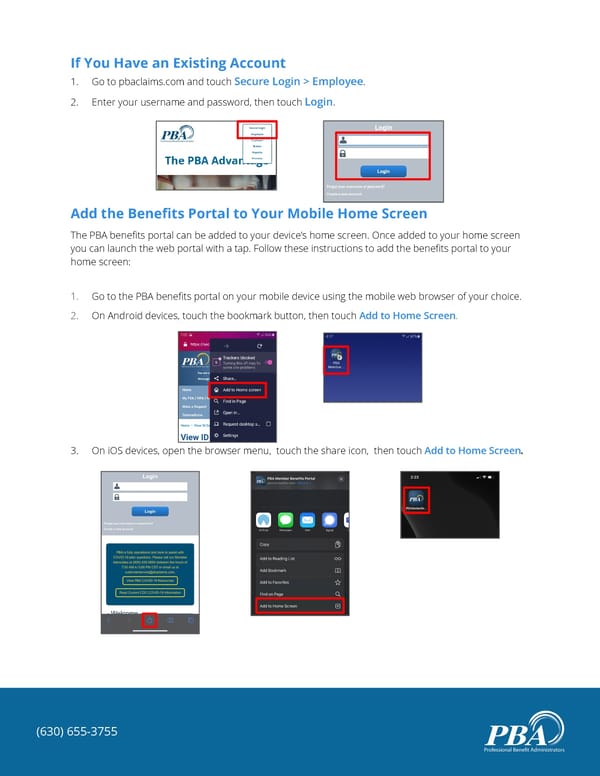
If You Have an Existing Account 1. Go to pbaclaims.com and touch Secure Login > Employee. 2. Enter your username and password, then touch Login. Add the Benefits Portal to Your Mobile Home Screen The PBA benefits portal can be added to your device’s home screen. Once added to your home screen you can launch the web portal with a tap. Follow these instructions to add the benefits portal to your home screen: 1. Go to the PBA benefits portal on your mobile device using the mobile web browser of your choice. 2. On Android devices, touch the bookmark button, then touch Add to Home Screen. 3. On iOS devices, open the browser menu, touch the share icon, then touch Add to Home Screen. (630) 655-3755
 Mobile Benefits Portal Guide Page 1