
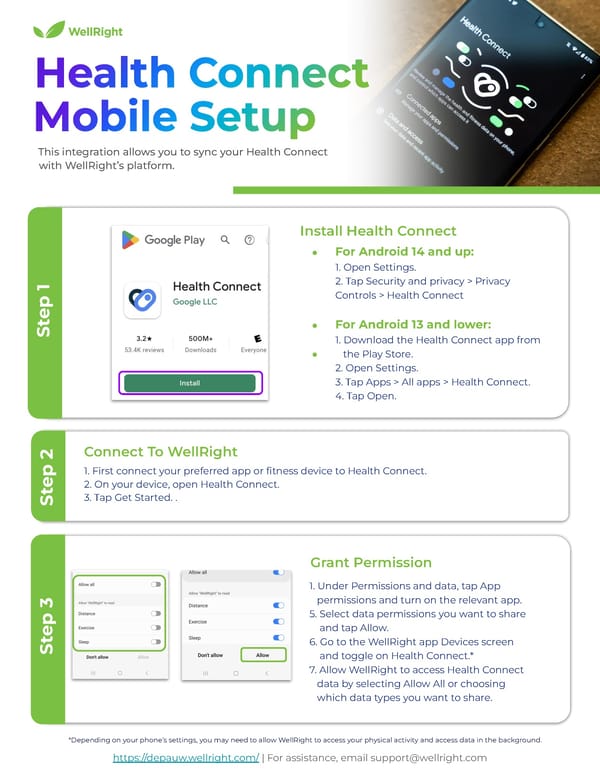
This integration allows you to sync your Health Connect with WellRight’s platform. 1. First connect your preferred app or fitness device to Health Connect. 2. On your device, open Health Connect. 3. Tap Get Started. . Connect To WellRight Step 2 ● For Android 14 and up: 1. Open Settings. 2. Tap Security and privacy > Privacy Controls > Health Connect ● For Android 13 and lower: 1. Download the Health Connect app from ● the Play Store. 2. Open Settings. 3. Tap Apps > All apps > Health Connect. 4. Tap Open. Install Health Connect Step 1 1. Under Permissions and data, tap App permissions and turn on the relevant app. 5. Select data permissions you want to share and tap Allow. 6. Go to the WellRight app Devices screen and toggle on Health Connect.* 7. Allow WellRight to access Health Connect data by selecting Allow All or choosing which data types you want to share. Grant Permission Step 3 https://depauw.wellright.com/ | For assistance, email support@wellright.com *Depending on your phone’s settings, you may need to allow WellRight to access your physical activity and access data in the background.
 Fitbit Web Set Up Instructions Page 7 Page 9