
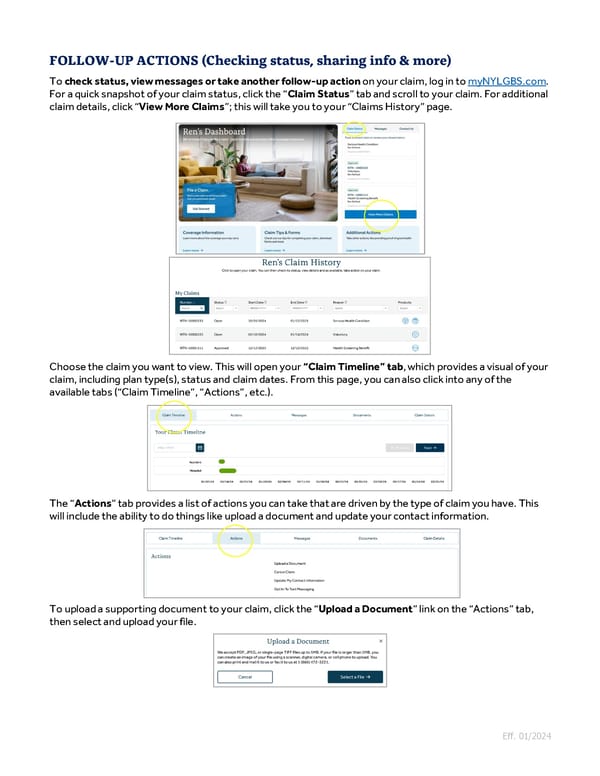
To check status, view messages or take another follow-up action on your claim, log in to myNYLGBS.com. For a quick snapshot of your claim status, click the “Claim Status” tab and scroll to your claim. For additional claim details, click “View More Claims”; this will take you to your “Claims History” page. Choose the claim you want to view. This will open your “Claim Timeline” tab, which provides a visual of your claim, including plan type(s), status and claim dates. From this page, you can also click into any of the available tabs (“Claim Timeline”, “Actions”, etc.). The “Actions” tab provides a list of actions you can take that are driven by the type of claim you have. This will include the ability to do things like upload a document and update your contact information. To upload a supporting document to your claim, click the “Upload a Document” link on the “Actions” tab, then select and upload your file. Eff. 01/2024
 Guide to Filing Voluntary Benefits Claims on myNYLGBS.com Page 3 Page 5