
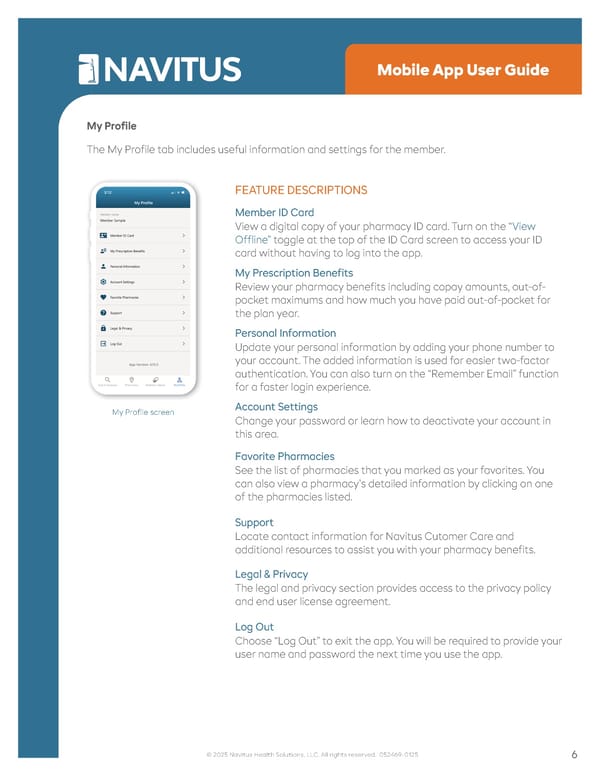
• Settings My Profile The My Profile tab includes useful information and settings for the member. My Profile screen FEATURE DESCRIPTIONS Member ID Card View a digital copy of your pharmacy ID card. Turn on the “View Offline” toggle at the top of the ID Card screen to access your ID card without having to log into the app. My Prescription Benefits Review your pharmacy benefits including copay amounts, out-of- pocket maximums and how much you have paid out-of-pocket for the plan year. Personal Information Update your personal information by adding your phone number to your account. The added information is used for easier two-factor authentication. You can also turn on the “Remember Email” function for a faster login experience. Account Settings Change your password or learn how to deactivate your account in this area. Favorite Pharmacies See the list of pharmacies that you marked as your favorites. You can also view a pharmacy’s detailed information by clicking on one of the pharmacies listed. Support Locate contact information for Navitus Cutomer Care and additional resources to assist you with your pharmacy benefits. Legal & Privacy The legal and privacy section provides access to the privacy policy and end user license agreement. Log Out Choose “Log Out” to exit the app. You will be required to provide your user name and password the next time you use the app. 6 © 2025 Navitus Health Solutions, LLC. All rights reserved. 052469-0125 Mobile App User Guide
 Navitus Mobile App User Guide Page 5